Appearance
Appointment field
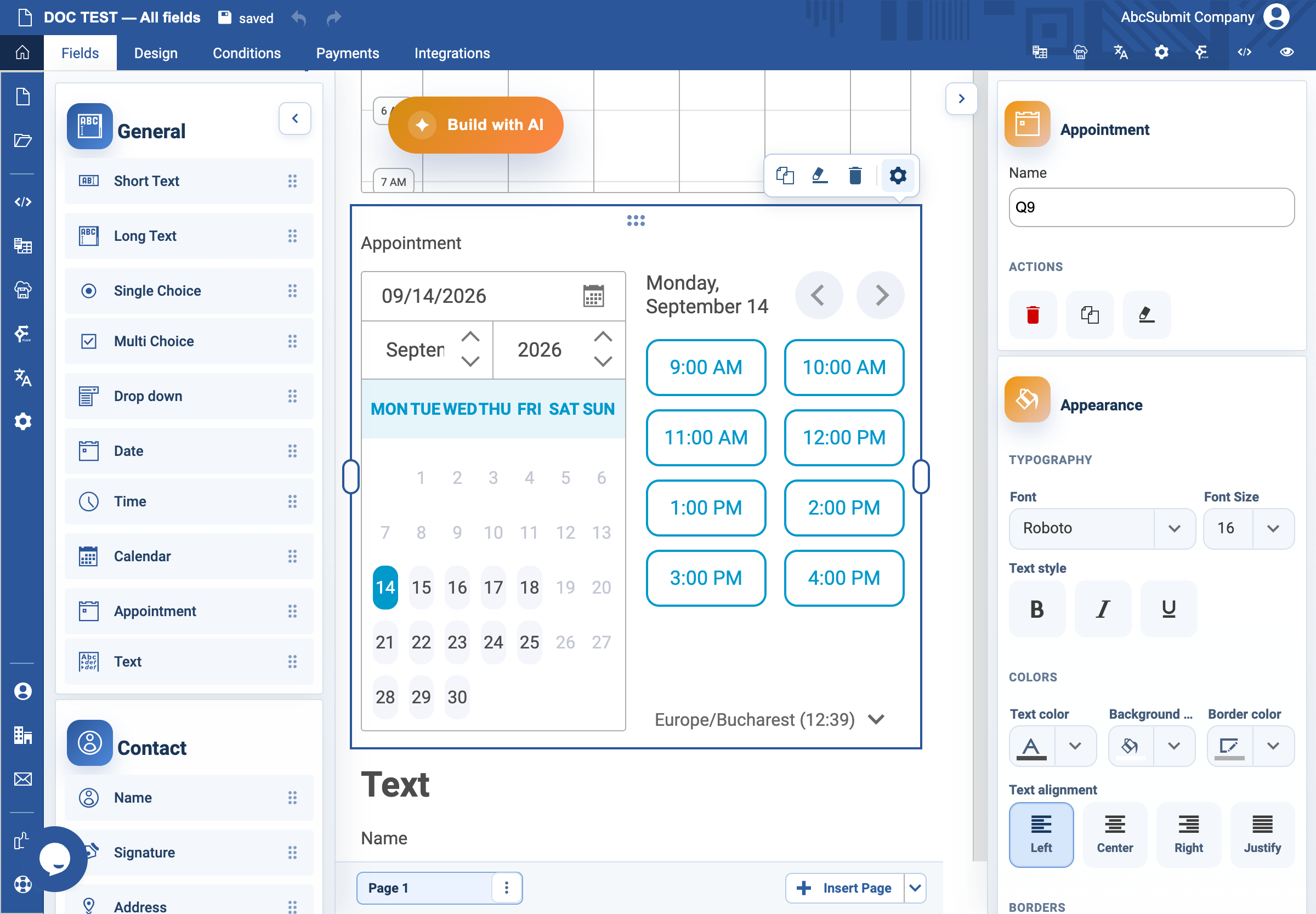
Use Appointment to let respondents choose an available time slot within your working hours.
Example: weekday consultation booking
- Open Fields > General and select Appointment.
- Select the field and open Edit.
- Set the label to
Choose a consultation timeand Name toconsultation_time. - In Appointment settings, set Interval to
30for half-hour slots. The value must be between 1 and 60 minutes. - Set Start hour to
09:00and End hour to17:00. - Enable Monday through Friday and disable Saturday and Sunday.
- Turn on Required Field and set Custom error text to
Choose an available consultation time. - Preview. Check the first and last slots, each disabled day, and the timezone shown to the respondent.
Settings
| Setting | Use it for |
|---|---|
| Interval | The duration of each available slot. |
| Start hour | The first booking boundary. |
| End hour | The final booking boundary. |
| Available days | The days on which respondents may book. |
| Required Field | Makes a slot selection mandatory. |
Expected result
The respondent can choose only a slot within the allowed hours and days. Confirm the final available slot leaves enough time for the actual service before publishing.