A practical Jotform fillable PDF alternative
Need more than a document people can fill in? AbcSubmit connects online forms, generated PDFs, signatures, structured data and approval workflows—so information can move from submission to decision without manual copying.
Updated September 2026 · An honest, feature-based comparison

Is AbcSubmit a good alternative to Jotform for PDF forms?
Yes—especially when the PDF is one part of a larger business process. Both platforms can collect information and produce professional PDF documents. Jotform is a broad form platform with Smart PDF Forms, a PDF Editor, signatures and workflows. AbcSubmit is worth comparing when you want the same form data to power branded documents, approval steps, notifications, searchable collections and integrations from one workspace.
The right choice depends on what happens after a person completes the form. If the end goal is simply a downloadable PDF, compare the editors and templates. If a submission must be reviewed, approved, stored, routed or turned into an invoice, application or report, test the entire workflow.
AbcSubmit vs Jotform for fillable PDFs
| What you need | AbcSubmit | Jotform |
|---|---|---|
| Online form builder | Visual builder for mobile-friendly forms, surveys, orders and internal requests. | Visual builder with a large template and integration ecosystem. |
| PDF output | Use collected form data to create and export branded PDF documents. | PDF Editor turns responses into designed PDF documents. |
| Fillable PDF experience | Create PDF-centered processes alongside online data collection and generated documents. | Smart PDF Forms can convert an existing PDF and detect fields for online completion. |
| Signatures | Add signature fields to forms and documents where supported by the selected plan and setup. | Signature fields and the separate Jotform Sign product are available. |
| Workflow automation | Route submissions through approvals, conditions, email steps and team actions. | Jotform Workflows supports approvals, assignments and automated paths. |
| Data management | Store submissions in structured collections and connect them to forms and workflows. | Submissions can be managed through Jotform Tables, Inbox and related products. |
| Offline data collection | Offline forms are listed in AbcSubmit’s feature matrix; confirm plan eligibility. | Jotform Mobile Forms supports offline collection; sync occurs when connectivity returns. |
| Deployment choice | Cloud plans plus an on-premises offering for organizations needing infrastructure control. | Cloud service with enterprise options, including advertised data-residency choices. |
When AbcSubmit may fit better
- You want an online form, a polished PDF and an approval process in one project.
- You need to turn the same submission into an invoice, application, agreement or operational report.
- Your team wants searchable form data instead of PDFs scattered across inboxes.
- You need conditional notifications, assignments or multi-step approvals after submission.
- You are evaluating an on-premises deployment option in addition to hosted plans.
When Jotform may fit better
Jotform can be the stronger fit when your priority is its extensive template marketplace, its wider family of named products, or an existing Jotform integration already embedded in your operations.
A credible alternative guide should help you choose—not pretend the competing product has no useful features.
How a form-to-PDF workflow works
A modern PDF process separates the friendly data-entry experience from the final document layout. Respondents complete a responsive form; the system validates and routes the information; then a consistent PDF is generated for people who need a stable document.
Build the form
Add contact details, choices, uploads, dates, signatures and conditional fields.
Collect clean data
Use validation and logic so the submission arrives complete and structured.
Automate the review
Notify the right person, request approval or branch based on an answer.
Create the PDF
Map approved data into a branded file for download, delivery or archiving.
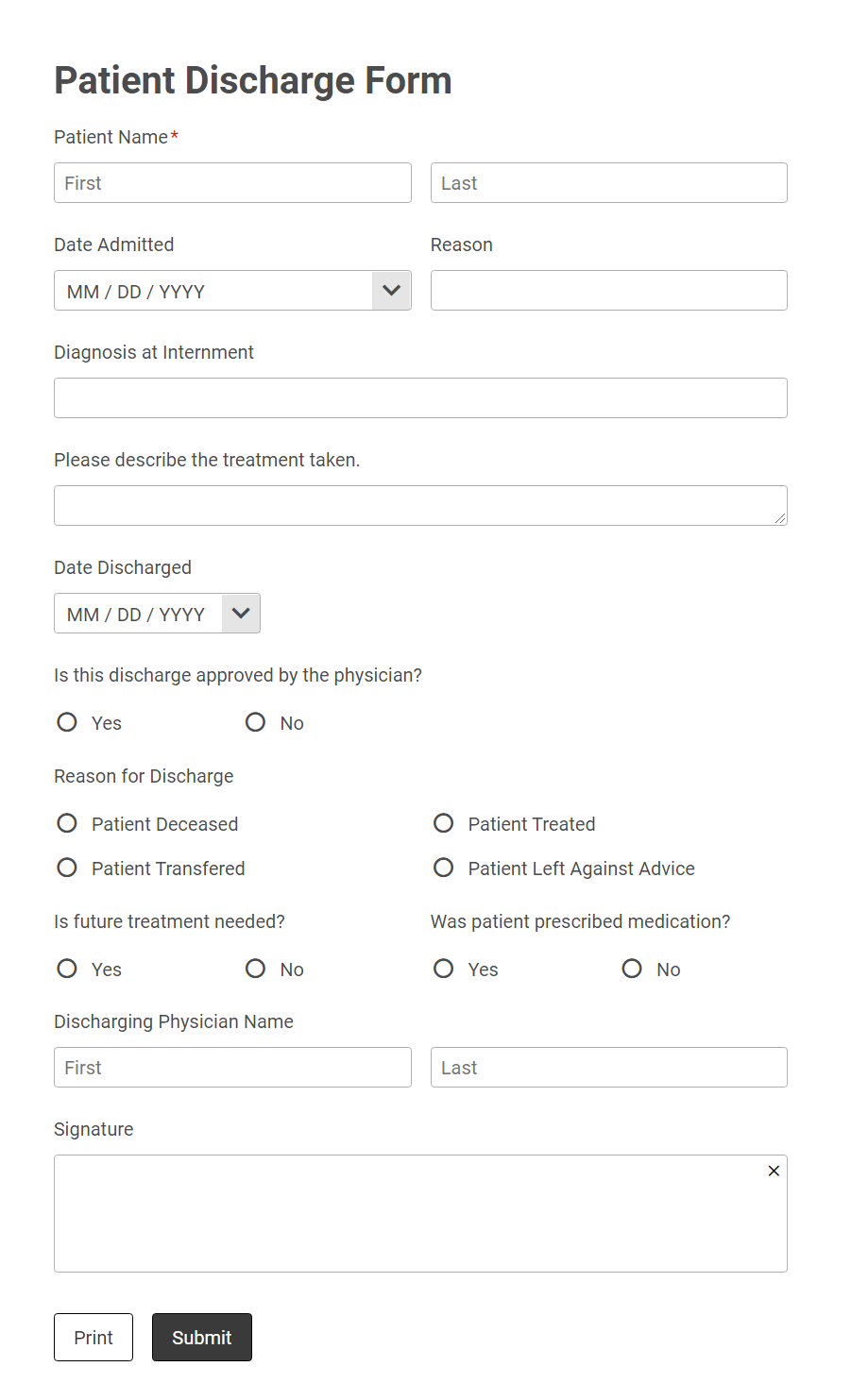
Use an online form when the experience matters
Online forms adapt more naturally to phones, can reveal only relevant questions and validate answers before submission. They are usually the better front door for lead capture, onboarding, inspections, requests and payments.
Learn how AbcSubmit connects records to a form builder with a database, or start with a ready-made form template.
Generate a PDF when the document matters
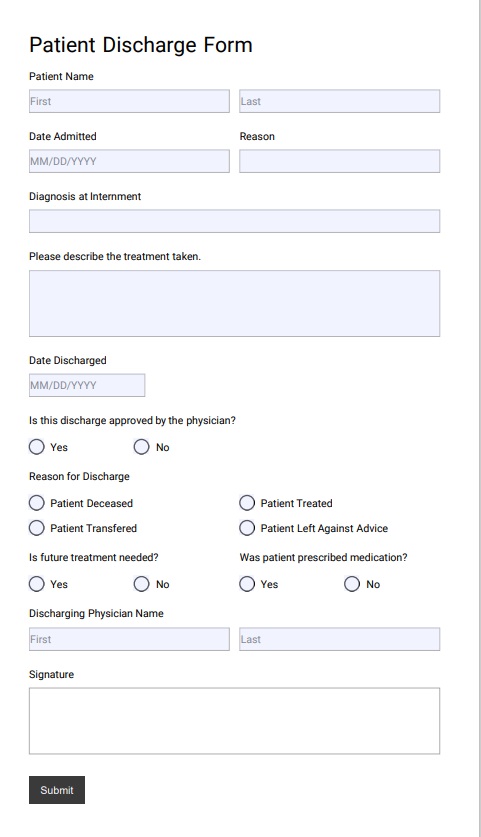
A PDF is useful when a fixed layout must be printed, signed, attached to an email or retained as a familiar business record. Generate it from validated form data to reduce retyping and formatting mistakes.
See the complete guide to designing and exporting PDFs from AbcSubmit and the overview of its fillable PDF editor workflow.
Automate signatures, approvals and follow-up
Route decisions
Send a request to a manager, finance reviewer or department owner. Conditions can determine which path a submission follows.
Keep people informed
Trigger confirmations, reminders and status messages so submitters and reviewers know what happens next.
Retain an audit-friendly record
Keep the submitted data, workflow status and generated document connected instead of relying on disconnected attachments.
For a deeper example, read the guide to multi-step approval workflows or browse workflow templates.

What can you build?
- Employee onboarding packets and policy acknowledgements
- Purchase requests with manager and finance approval
- Client intake forms that generate a branded summary
- Inspection reports with photos, signatures and PDF copies
- Invoices, estimates and order documents created from form entries
- Applications, consent forms and service agreements
A practical migration checklist
1. Inventory
List every active form, PDF template, conditional rule, notification, integration and user role.
2. Rebuild one workflow
Start with a representative process. Match fields and recreate the output before moving everything.
3. Test real scenarios
Check mobile completion, required fields, PDF formatting, signatures, email delivery and each approval branch.
Jotform alternative FAQ
Can AbcSubmit create PDFs from online form submissions?
Yes. AbcSubmit can use collected form data to generate and export PDF documents. The exact PDF features and limits depend on the selected plan and configuration.
Can I convert an existing PDF into a web form?
PDF import and field-mapping approaches differ between products. Jotform explicitly advertises automatic field detection in Smart PDF Forms. With AbcSubmit, evaluate whether rebuilding the document as a responsive form and generating the PDF output better fits your process.
Do respondents need a PDF reader?
Not when they complete a standard browser-based online form. A PDF reader may be needed when a workflow asks someone to download or complete an interactive PDF file directly.
Can a PDF form include an electronic signature?
Both platforms provide signature-related capabilities. Confirm the legal and compliance requirements for your jurisdiction and use case; a drawn signature field is not automatically equivalent to every form of regulated digital signature.
Is AbcSubmit free?
AbcSubmit publishes a free plan as well as paid and enterprise options. Review the current feature matrix for limits and availability.
Which product is the best Jotform alternative?
There is no universal winner. Choose by testing the complete process: form completion, PDF layout, approval routing, data access, integrations, governance and total cost at your expected volume.
Comparison methodology
This guide was reviewed against the vendors’ public product and pricing information available in September 2026. Jotform product names are trademarks of their respective owner. AbcSubmit is not affiliated with or endorsed by Jotform.
Reference pages: Jotform Fillable PDF Form Creator, Jotform PDF Editor, Jotform pricing, and AbcSubmit plans and features.
Build the process—not just the PDF
Start with a form, connect the follow-up steps, and generate a document your team can actually use.